555slotAndroid & iOS App
We at 555slot offer mobile access to our live-dealer tables, slot games, sportsbook markets, and esports betting via both native app and browser. Our Android APK can be downloaded directly from our website, while iOS users access 555slot through a browser-based app that runs on any device with internet connectivity.

- Installin
- SHA256 Match
- StartFirst Game
Mobile-first design matters because you access our platform from anywhere—whether you are in Jakarta, Surabaya, Bandung, Medan, or Semarang. Our 555slot app keeps your account, wallet, and transaction history synchronized across all devices. Deposits via DANA, e-wallet, mobile banking, local payment, online payment, e-wallet, or bank transfer (mobile banking, local payment, online payment, e-wallet) work seamlessly on mobile. Live blackjack, roulette, baccarat, and Dragon Tiger sessions are optimized for touch screens and smaller viewports.
Download and installation takes a few minutes. Once you set up your 555slot account and pass identity verification, you can start using our platform immediately on your phone or tablet. We support Android 7 and later, as well as iOS 12 and later. Whether you choose the native Android APK or access 555slot through your mobile browser, your account balance and game history remain consistent.
555slot App Download Options
We provide three paths to access 555slot on mobile. The Android APK is a native application you download directly from our website and install on your Android phone. iOS users do not require a separate app—instead, you add 555slot to your home screen as a web app, which functions like a native app and offers similar features. Desktop and mobile web browsers also work fully, so if you prefer not to install anything, you can simply log in through a browser.
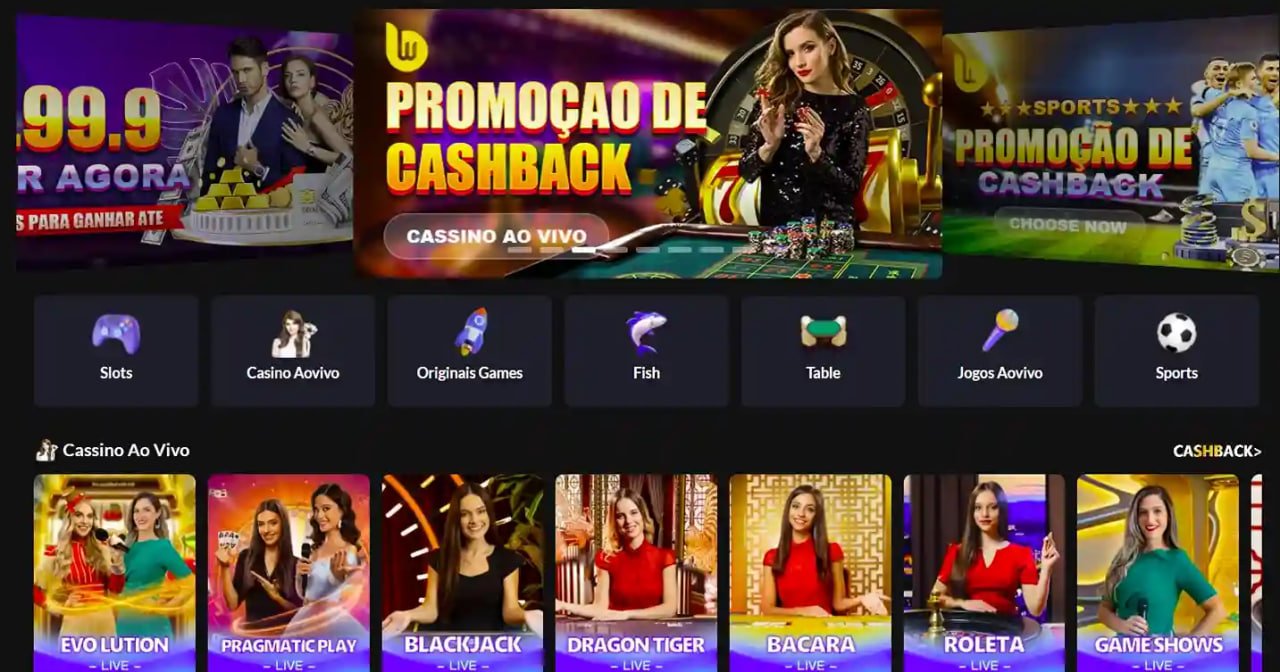
Download and Install 555slot
-
Download the Android APK
Visit our website on your Android device, find the app download link, and tap to begin the download.
-
Enable unknown sources (Android only)
Go to Settings > Security, enable "Unknown sources" to allow installation of apps outside the Play Store.
-
Install and open 555slot
Tap the downloaded APK file to install. Once installation is complete, open 555slot and log in or create an account.
-
Start using 555slot
Verify your identity, choose a payment method, and begin accessing live tables, slots, sportsbook markets, and esports.
For iOS users, visit 555slot.id on Safari or your mobile browser, tap the share button, and select "Add to Home Screen." This creates a shortcut that launches our 555slot app in full-screen mode, providing an experience nearly identical to a native app.
App benefits
- Access live-dealer tables, slots, and sportsbook from anywhere with one login
- Instant notifications for deposits, withdrawals, and game updates
- Faster load times and smoother gameplay compared to browser-only access
- Account balance and transaction history automatically sync across all devices
- Offline functionality lets you view your account details without internet connection
Device Compatibility and Installation
Our 555slot app runs on Android 7 and later, covering the majority of Android devices in use today. iOS users need iOS 12 or later; this includes iPhone 5S and newer models. Tablets are fully supported on both platforms. We recommend devices with at least 2 GB of RAM for smooth gameplay during live blackjack, roulette, baccarat, and Dragon Tiger sessions.

Troubleshooting Common Install Issues
If your Android device shows an "Unknown app" warning during installation, this is normal. We at 555slot distribute our app directly rather than through the Google Play Store, so Android requires your explicit permission to install. Go to Settings, find Security or Privacy, and enable "Unknown sources" or "Install unknown apps." For iOS, if the web app does not appear on your home screen, ensure you are using Safari, not another browser. Tap the share icon at the bottom, scroll to "Add to Home Screen," and confirm the name.
If you encounter certificate trust errors on Android, your device may need an updated security certificate bundle. Visit Settings > Security > Trusted credentials and check that your certificates are current. If errors persist, contact our support team for guidance. We also offer browser-only access as an alternative—simply visit 555slot.id on your device's default browser without downloading anything.
Data, Permissions, and Account Security on 555slot
Our 555slot app requests minimal permissions: internet access (required for gameplay), and storage access (to cache game assets for faster loading). We do not access your contacts, microphone, camera, or location. Your login credentials are encrypted before transmission to our servers. We recommend enabling multi-factor authentication (MFA) on your 555slot account—a second verification code sent to your email or phone—to prevent unauthorized access even if someone obtains your password.
All your personal data collected during account registration (name, date of birth, identity document number, residential address) is encrypted at rest on our servers. Payment data (such as your registered DANA, e-wallet, mobile banking, or local payment account) is processed by third-party payment processors that maintain their own security standards. We never store your full bank account or card details. Your gameplay data (bets, outcomes, account balance) is stored securely and is accessible only to you and our support team in case of disputes.
- App vs. Browser
- Our 555slot app offers offline caching, push notifications, and faster load times. Browser access works on any device without installation but may be slightly slower.
- Android APK Source
- We distribute our Android APK only from our official website (555slot.id). Do not download from third-party sites.
- iOS Installation
- iOS does not allow app distribution outside the App Store, so we use a web app. Add 555slot to your home screen in Safari for full-screen access.
- Account Sync
- Your wallet, bets, and transaction history sync in real time across all devices using your single 555slot login.
Getting Started on 555slot Mobile
Once you have installed or accessed 555slot, the first step is account opening. You will be asked for your email address, a strong password, and basic personal details. You must then complete identity verification by uploading a clear photo of your KTP or passport. Our team reviews your documents within a few hours during standard business hours. Liga 1 and Piala Indonesia sportsbook markets remain available during verification, though live-dealer access may be temporarily restricted until your identity is confirmed.
After verification, add a payment method. We at 555slot accept DANA, e-wallet, mobile banking, local payment, online payment, e-wallet, and direct bank transfers (mobile banking, local payment, online payment, e-wallet). Choose whichever method suits you best. Your first deposit unlocks full access to live blackjack, roulette, baccarat, Dragon Tiger, slot games like Aviator and Sweet Bonanza, and esports markets for Mobile Legends, Free Fire, and PUBG Mobile. Transaction history is visible anytime in your account dashboard.
Keep your 555slot app updated. We regularly release updates that improve speed, fix bugs, and add features. On Android, check your device's app settings or our website for new APK versions. iOS users automatically receive updates when they revisit Safari and refresh the 555slot web app. Our support team operates in English and Indonesian during standard business hours and can help with any technical issues, account questions, or withdrawal requests.
Related pages
Summary: Our 555slot app is available as an Android APK download and an iOS web app. Installation takes minutes—simply download, enable unknown sources (Android), install, and log in. Both paths give you full access to live-dealer tables, slot games, sportsbook markets, and esports betting. Your account and wallet sync instantly across devices. Device compatibility starts at Android 7 and iOS 12. We encrypt your data, process payments securely, and keep your account protected with optional multi-factor authentication. Our support team is available in English and Indonesian. Our 555slot service is available only where local law permits.